Switch
Switch from Elementor, Divi and the WordPress editors: every page becomes a page of blocks
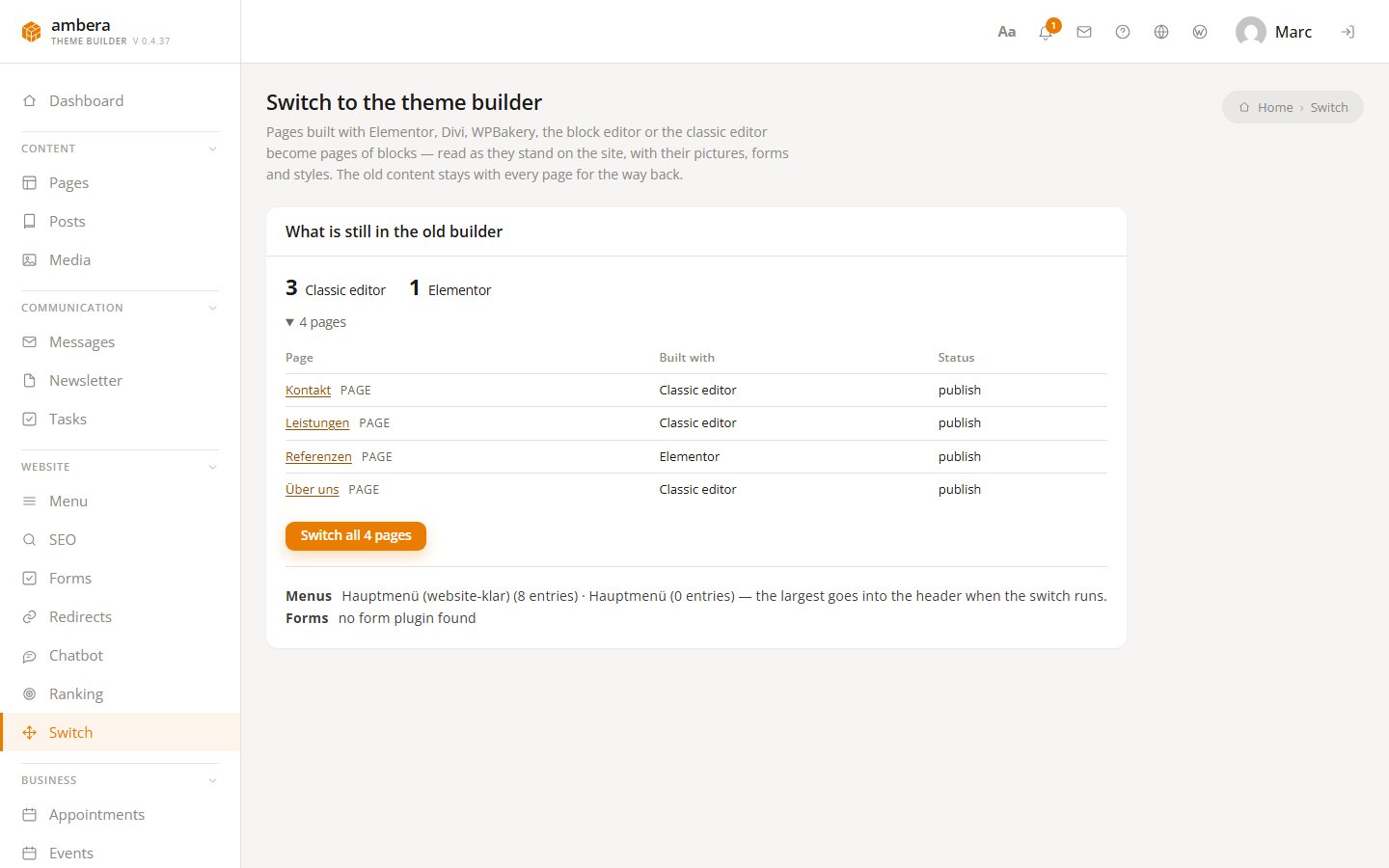
Changing builders usually means building everything again: every page, every form, the menu. The Switch screen reads each page the way it stands on the site — with its pictures, forms and styles — and rebuilds it from blocks, one page after the other, while the site keeps running. What is done is done; what is not yet is still the old page. And the old content stays with every page, for the way back. If the old site is not on WordPress at all, its address is enough.
What is read
- Pages and posts from Elementor, Divi, WPBakery, Beaver Builder, the block editor and the classic editor
- Each page as a visitor sees it, not the stored data of the old builder
- Pictures, forms, styles, fonts and colours
- The largest WordPress menu goes into the header template
- A form on a page becomes a form of this site with the same fields
- Or a site hosted elsewhere — Wix, Jimdo, Squarespace, any host: up to forty pages as drafts
How it runs
- The screen counts what is still in the old builder, per builder
- Switch all — one page after the other, with a progress bar
- The site keeps working; nothing is broken in between
- Leave the old plugin active until the run is through — then it can go
- The fonts, colours and page width of the site stay as they are
The report and the way back
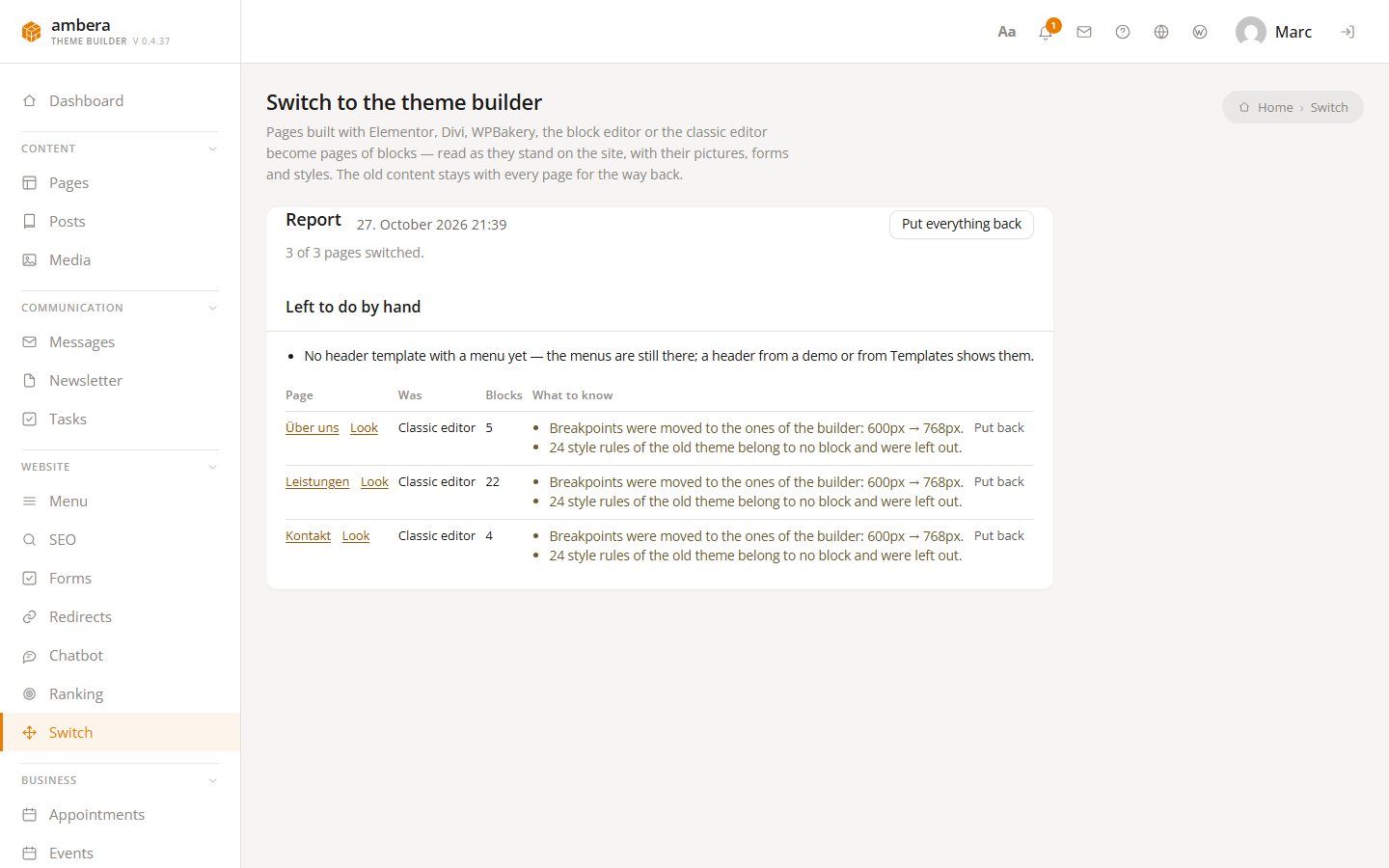
- Per page the number of blocks and what to know
- A style that could not be kept, a piece left out, a picture that could not be fetched
- Look opens the page, the title opens the editor
- Put back returns the old content — for one page or for all
- Nothing is lost by trying
Read as it stands
Not the code of the old builder — the finished page.
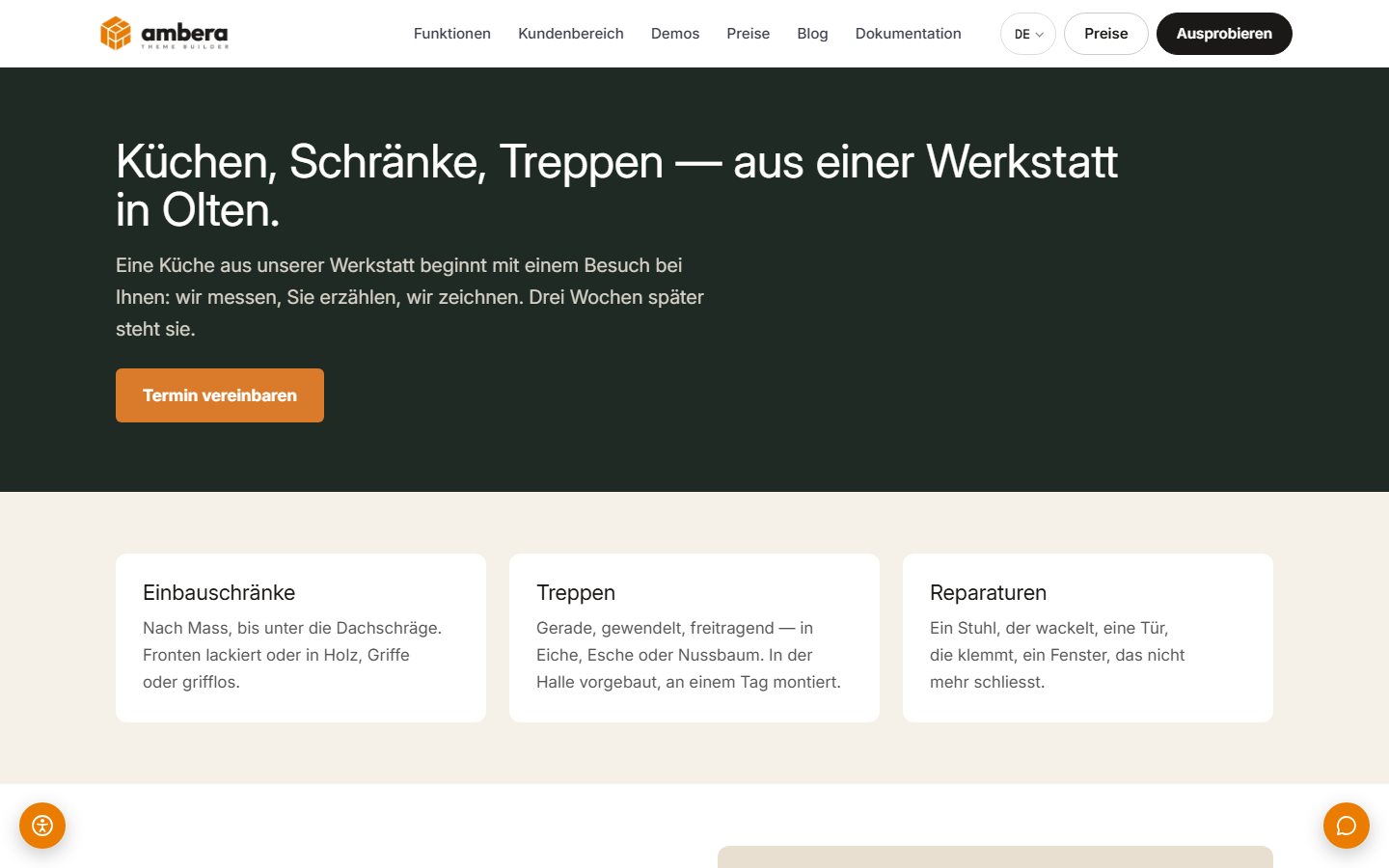
Elementor, Divi and WPBakery store their pages as data of their own; whoever translates that translates forever. So the screen reads each page the way it stands on the site — the finished HTML with its pictures, forms and styles — and builds sections, headings, text, buttons, pictures and forms out of it, as blocks. Every style becomes a setting on its block. The old plugin stays active until the run is through: without it there is nothing to read.
The report
Per page, what became of it — and what you should know.
After the run every switched page stands in the report: how many blocks, and what to know — a style that could not be kept, a script that was left out, a picture that could not be fetched. What remains to be done by hand has a list of its own. A click on the title opens the page in the editor, where you judge for yourself.
In the editor, and the way back
Every page is now a page of blocks. And still the old one, if you want.
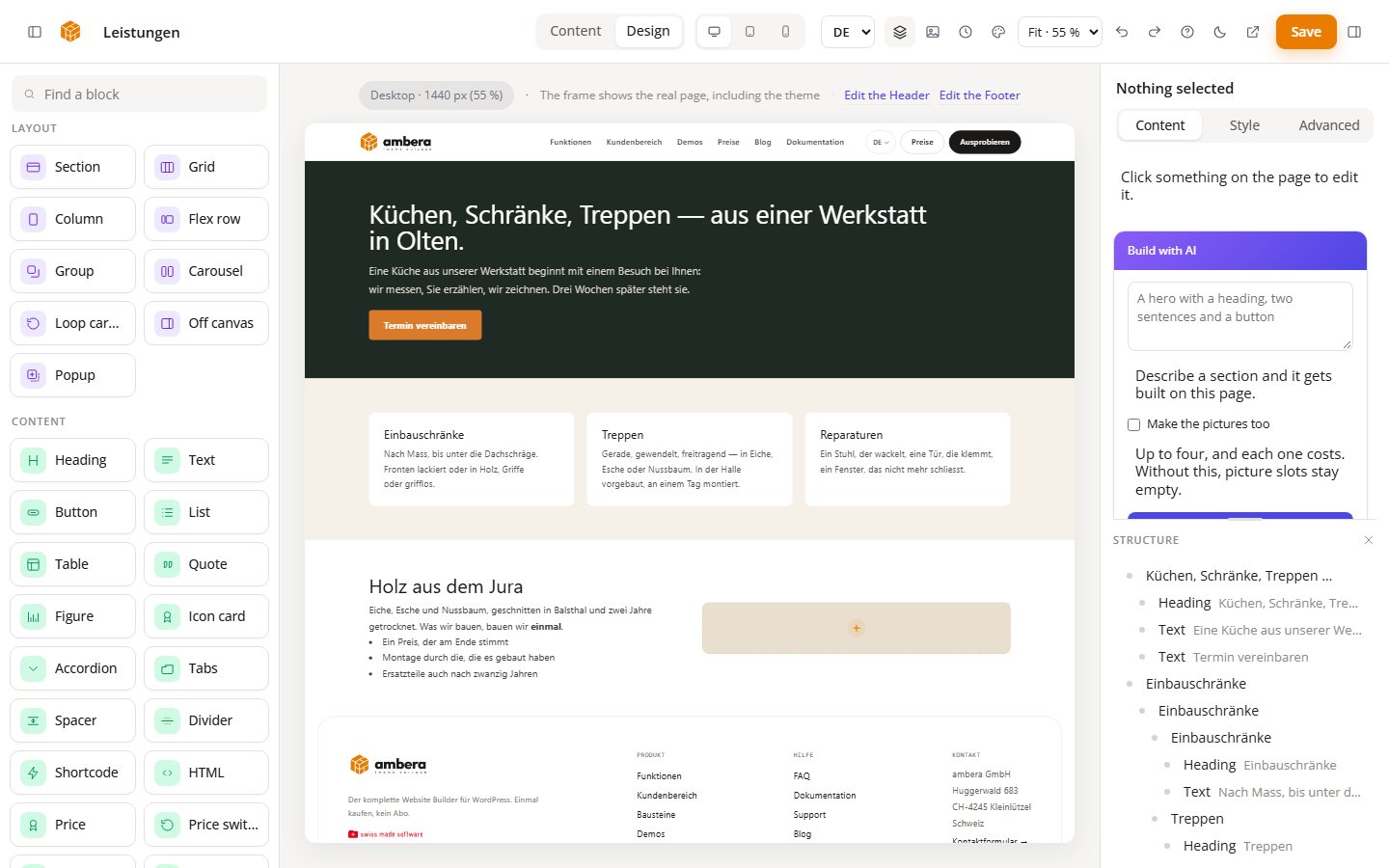
The switched page opens in the builder like any other: sections, columns, text, pictures, all of it in reach, all of it yours to change. The old content stays with the page. Put back in the report returns it, for one page or for all — character for character, with the old page template. Nothing is lost by trying.
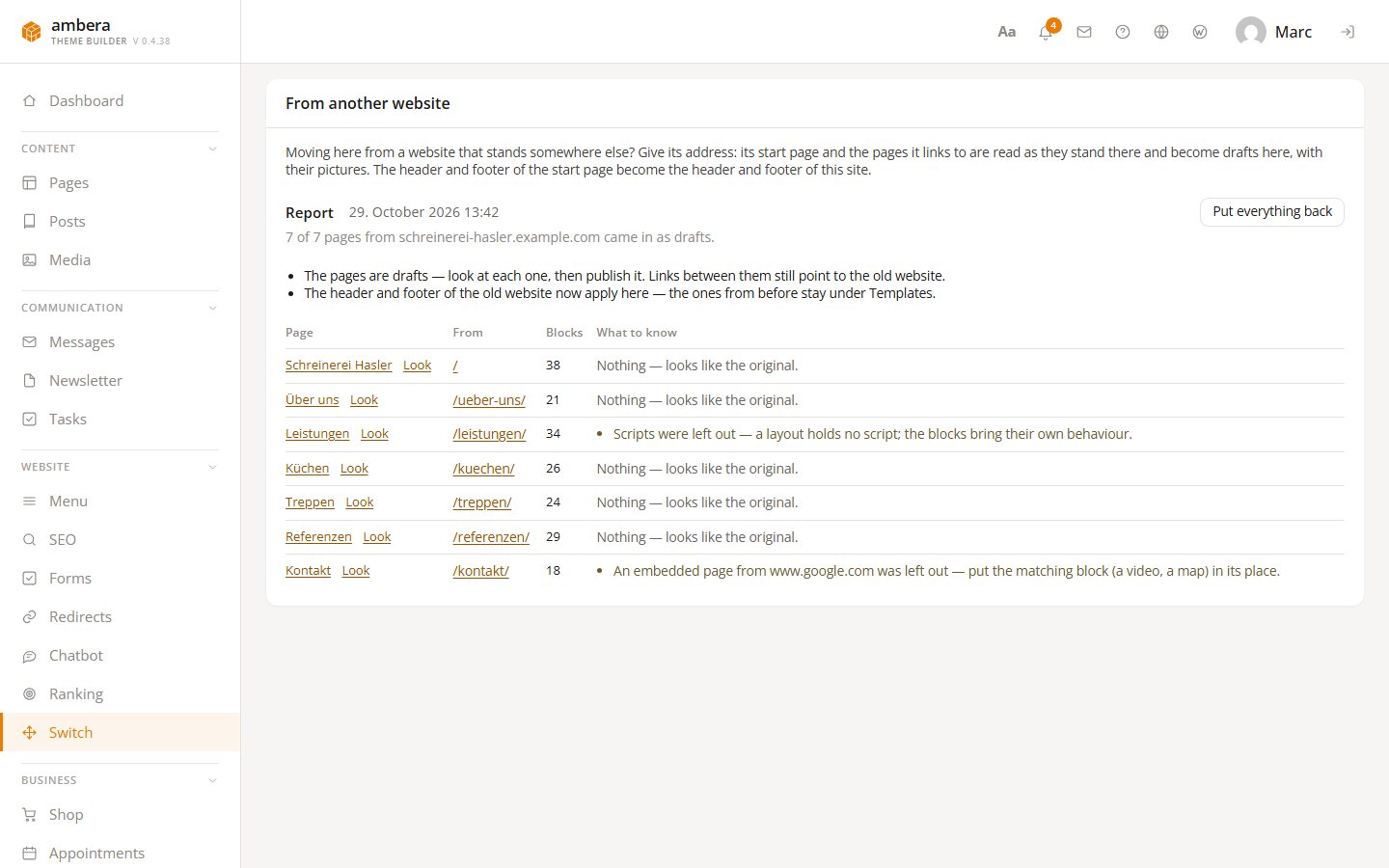
From another website
The old site lives elsewhere? Its address will do.
The card From another website takes the address of a site that is not part of this WordPress — on Wix, Jimdo, Squarespace or any other host. Look at the site reads its start page and lists the pages it links to, up to forty. Tick the ones to bring along, and Switch these pages rebuilds each one here as a draft, its pictures in the media library. The header and footer of the start page become those of this site, while the previous ones wait under Templates. Put everything back sends the drafts to the trash.
Questions
Which builders does it know?
Elementor, Divi, WPBakery and Beaver Builder — and the two editors of WordPress, the block editor and the classic one. A page from another builder is read like any page: as it stands.
Does the old plugin have to stay?
Until the run is through, yes. The page is read as it renders on the site, and without the plugin it does not render. Deactivate it afterwards.
What becomes of forms and menus?
A form on a page becomes a form of this site with the same fields; it sends to the address in the form settings, and the messages arrive under Messages. The largest WordPress menu goes into the header template.
Does the site keep running meanwhile?
Yes. It goes one page at a time; what is switched is switched, the rest is still the old page. Visitors notice nothing.
And if something does not fit?
Put back in the report returns the old content to the page, character for character — for one page or for all. The report says beforehand where it caught: a style that was not kept, a script that was left out.
Can I switch from Wix, Jimdo or Squarespace?
Yes. The card From another website does not need the old site to run on WordPress. It reads what anyone can see: the start page and up to forty pages it links to. Each arrives as a draft for you to check and publish; links between the drafts still point to the old site. Addresses on your own server or in a private network are refused.
Is this in the free version?
Yes. Switching is part of Light — from another website, too.

The WordPress theme builder has a name.

Built in Switzerland. Built for WordPress.